
If you have ever tried to check a JCPS grade, complete a school form, find a bus, message a teacher, or pay a school fee and wondered which account you were supposed to use, there is a reason.
JCPS does not have one parent account that controls everything.
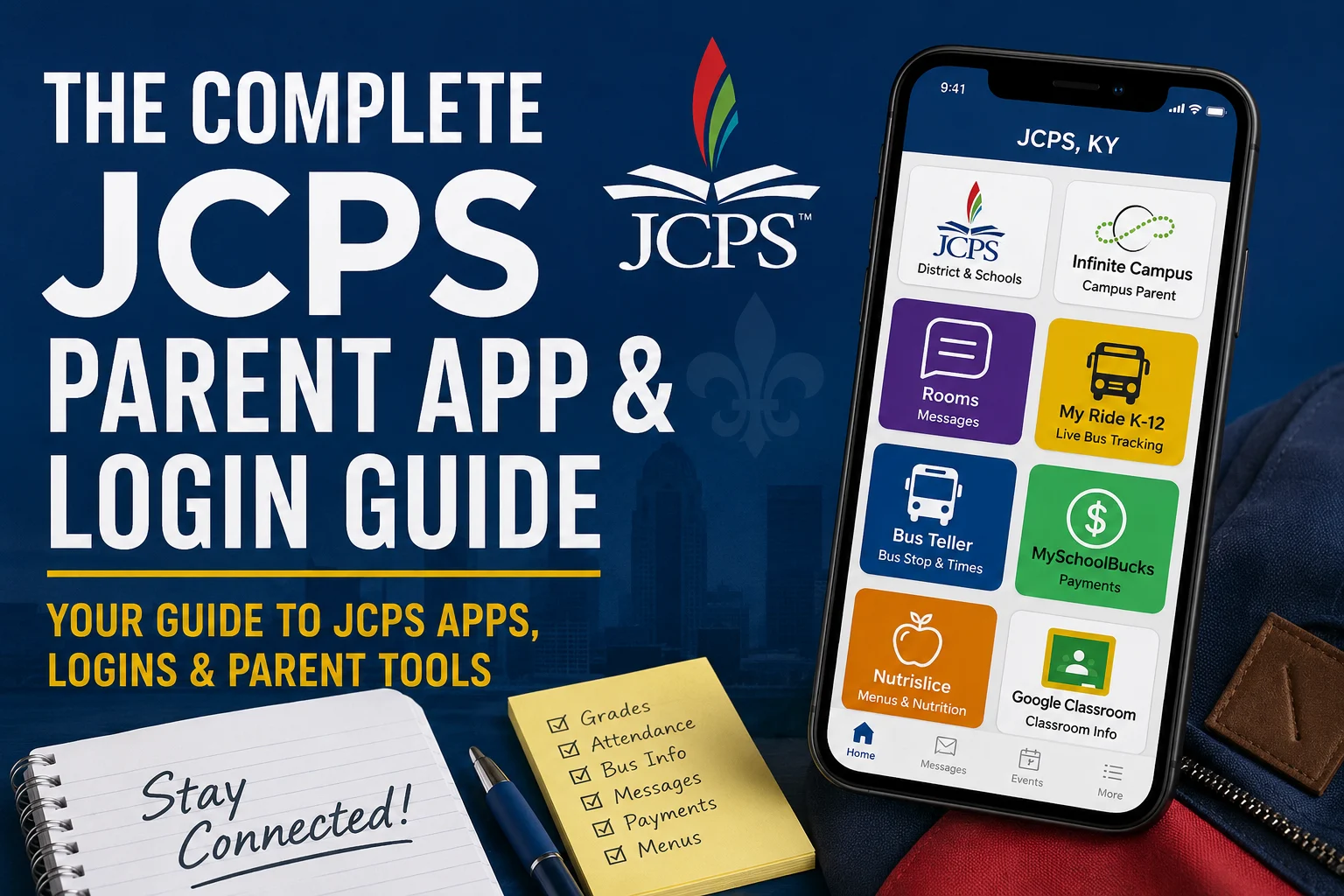
The district itself tells families they have two separate core accounts: a JCPS Parent account and an Infinite Campus Parent account. On top of those, families may use the JCPS mobile app, Rooms, the Transportation Portal, My Ride K 12, MySchoolBucks, Nutrislice, Google Classroom, and other school specific tools.
The trick is knowing which tool does what.
Here is the JCPS Insider guide to the apps and logins parents are most likely to need during the 2026 to 2027 school year.
The Short Version: The Accounts Most JCPS Parents Should Set Up
For most families, these are the ones worth getting organized first.
JCPS Parent Place: Complete district forms, manage certain family information, and access JCPS applications.
Infinite Campus Campus Parent: Check grades, assignments, attendance, schedules, and other student information.
JCPS, KY app: Receive district and school news, alerts, events, and notifications. The app also houses Rooms for participating schools.
Transportation Portal and Bus Teller: Find your child's assigned bus, stop, and scheduled times if your child receives JCPS transportation.
My Ride K 12: Track an assigned bus in real time and see estimated arrival information.
The remaining tools are useful depending on your child's school and what you need to do.
Parent Place: Where JCPS Puts Forms and Family Applications
JCPS Parent Place is one of the most confusing names in the district because it sounds almost identical to Parent Portal.
They are not the same thing.
JCPS describes Parent Place as its own parent account for applications developed and managed by district Information Technology. From the Parent Place home screen, parents can access areas for completing forms, applying for school, and viewing family information.
Think of Parent Place as the administrative side of being a JCPS parent.
This is where parents may encounter electronic forms that once would have come home on paper. JCPS school pages specifically direct families to Parent Place for required school forms, and the district also uses the account to access some school application functions.
When should you use Parent Place?
Start here when you need to:
Complete JCPS forms
Access certain school applications
Review information connected to your family
Complete a district process that specifically tells you to use your JCPS Parent account
Do not assume your Parent Place username and password will automatically be the same as your Infinite Campus login. JCPS explicitly identifies them as two different accounts.
That distinction alone can save parents a lot of failed login attempts.
Infinite Campus Campus Parent: Grades, Attendance, Assignments, and Schedules
If you want to know how your child is doing in school, Infinite Campus Parent Portal is usually where you should start.
JCPS uses Infinite Campus as its Parent Portal. District school pages describe it as the place where parents can monitor attendance, assignments, daily grades, schedules, and other student information.
Infinite Campus also offers the Campus Parent mobile app. Infinite Campus says its parent app and web portal provide access to grades, assignments, attendance, announcements, schedules, and other information made available by the district.
For many parents, this should be the app they check most often for academics.
How do I create a JCPS Infinite Campus Parent account?
JCPS requires the parent's information to match what is already in the student record. One JCPS support page specifically warns that your name and email address must match the information on your student's file when creating an account.
Families who register a new student can receive a Portal Activation Key. JCPS describes this as a 32 character code that can be used to create a Parent Portal account. Parents who need an activation key can request one or obtain assistance through JCPS.
If the system cannot find you, do not keep creating variations of your name or email address. The JCPS Parent Portal Account Support page says the information you enter must match district records. If JCPS cannot locate you, you will need to contact your child's school to have the information corrected.
For Campus Parent assistance, JCPS lists the IT3 Care Center at 502 485 3552.
A parent habit worth starting now
Turn on Campus Parent notifications if they are available for the information you want.
Infinite Campus supports mobile notifications, although districts and schools control which features are available.
Checking grades only at report card time can hide problems that were visible much earlier. A quick Campus Parent check during the week can catch missing assignments, attendance errors, or a grade that is beginning to slide.
The JCPS, KY App: District News, School Alerts, and Rooms
The official district mobile app is called JCPS, KY.
JCPS says the app combines information from district and school websites, social media, events, news, and other communication channels. It may also be used for closures, delays, emergencies, and general school information. Families can search for JCPS, KY in their phone's app store.
For the 2026 to 2027 school year, there is another reason parents should know about it: Rooms.
Rooms is a communication feature built into the JCPS app. JCPS says parents can switch from general district and school information into Rooms, where participating schools can provide classroom information and communication. Rooms is available through the mobile app and through the web, and parents need a Rooms login and password to access it.
Depending on how your school uses Rooms, parents may see announcements, classroom information, materials, and messages from teachers or other staff. JCPS describes the system as a district approved communication tool for families.
Does every JCPS school use the same messaging app?
No.
This is one area where parents should pay attention to instructions from their individual school.
JCPS has several approved communication platforms. District materials identify Rooms and Alerts, Infinite Campus Messenger, Google Workspace for Education, ClassDojo, Microsoft for Education, and other approved systems for particular settings. Current school pages show that some schools direct families to Rooms while others continue to use ClassDojo for teacher communication.
So if one parent tells you, "Everything is in ClassDojo," while another says, "Our teacher uses Rooms," both parents may be correct.
Ask your child's school one simple question:
Which app should I use for direct teacher and classroom communication this year?
Bus Teller and the Transportation Portal: Your Assigned Bus and Stop
JCPS now has two different digital tools parents may use for bus information.
They do different jobs.
The JCPS Transportation Portal connects families to transportation information, including Bus Teller. JCPS says Bus Teller lets parents see their child's bus number, bus stop location, and estimated pickup and drop off times.
Bus Teller is primarily about the assignment.
It tells you which bus and stop JCPS has assigned to your child and what the planned times are.
It does not provide live bus tracking.
How do parents log into the Transportation Portal?
JCPS currently gives parents more than one option.
The Transportation Portal allows a parent or guardian to sign in using a phone number or email address, or through a Parent Place account. When using the phone or email option, JCPS asks for an email address or phone number already on file in Infinite Campus plus the date of birth of a child in the household.
That means outdated contact information in Infinite Campus can create problems far beyond grades.
If your phone number or email address changes, keeping your school record current can affect your ability to receive messages and use other JCPS systems. JCPS specifically tells families to keep contact information and preferred language current in Infinite Campus for district email and text communications.
My Ride K 12: The New Live JCPS Bus Tracker
For the 2026 to 2027 school year, JCPS introduced My Ride K 12 for live bus tracking.
This is different from Bus Teller.
Bus Teller tells you the assigned bus, stop, and scheduled times. My Ride K 12 uses bus location data to show the bus on a map and provide estimated arrival information. JCPS also says parents can see daily substitute bus information once their student is linked.
Parents can use My Ride K 12 through its mobile app or through a web browser.
How do I set up My Ride K 12?
JCPS says parents should create an account using their name, email address, and password, then verify the registration through email.
When searching for the district inside the service, choose Jefferson County Public Schools Louisville KY and look for the official JCPS logo.
To connect your child, JCPS says you need:
The student's JCPS identification number
The student's last name
The student's date of birth
JCPS says the student identification number can be found through the Transportation Portal.
Parents can also share bus access with a trusted caregiver. JCPS says the app can provide a secure sharing link so a grandparent, babysitter, or other trusted person can register and see the same transportation information.
That could be especially useful for families in which more than one adult handles afternoon bus pickup.
JCPS recommends keeping My Ride K 12 push notifications turned on so families can receive bus updates.
MySchoolBucks: School Fees and Extra Cafeteria Purchases
MySchoolBucks is another account many JCPS families encounter.
JCPS Nutrition Services uses MySchoolBucks for student cafeteria accounts. Parents can add money, monitor transactions, and receive balance reminders. Some JCPS schools also use MySchoolBucks to collect school fees and other payments.
There is an important difference this school year.
JCPS is providing breakfast and lunch at no cost to students during the 2026 to 2027 school year. Students can still purchase eligible extra items, and money can be placed in their account for those purchases.
So you do not need to load MySchoolBucks with money just so your child can receive the standard JCPS breakfast or lunch.
You may still need the account if your child buys extras or your school directs families there to pay a fee.
Nutrislice: What Is for Breakfast or Lunch?
If your question is simply, "What is my child eating today?" you probably want Nutrislice, not MySchoolBucks.
JCPS publishes school menus through Nutrislice. Parents can view menus along with allergen information, nutrition facts, carbohydrate counts, and other meal information. JCPS also offers access through the free Nutrislice mobile app.
This can be especially useful for families managing allergies, diabetes, food preferences, or children who want to know the menu before getting to school.
Nutrislice is a menu and nutrition tool. MySchoolBucks is an account and payment tool.
Google Classroom: Parents Usually Do Not Log In as Their Child
Many JCPS students use Google Classroom, and JCPS school websites continue to provide Google Classroom resources for families.
Parents should understand the difference between a student's Classroom account and parent access.
Google says guardians generally do not sign directly into a student's Classroom. A teacher or administrator can instead invite a guardian to receive email summaries. Those summaries can include missing work, upcoming work, announcements, assignments, and other class activity. They do not include grades.
For official grades, Campus Parent remains the better place to check.
If your child's teacher uses Google Classroom heavily and you are not receiving guardian information, ask whether guardian summaries are available for that class.
Clever: Usually a Student Tool
You may also hear your child talk about Clever.
JCPS lists Clever among its student and family login resources, but it is primarily used as a gateway that helps students reach online learning programs.
Parents should not assume they need a separate Clever parent account simply because their child uses Clever.
Clever does support family accounts, but the school or district must provide access or send an invitation when that feature is being used.
If your child says an assignment or learning program is "in Clever," you may simply need to help the student sign into the student's account rather than create another parent login.
Why Updating Your Email and Phone Number Matters More Than You Think
A surprisingly large part of the JCPS digital system depends on the contact information attached to your child's record.
JCPS uses Infinite Campus contact information for district communication, and the Transportation Portal can authenticate a parent using a phone number or email address already on file. Parent Portal account support also depends on information matching district records.
An old email address can therefore cause several different problems that appear unrelated.
You might miss a district message, fail to receive an app invitation, or be unable to get through an account verification screen.
If you change your phone number, email address, or preferred language, tell your child's school rather than updating only the individual app you happen to be using.
Which JCPS Apps Should I Actually Put on My Phone?
You do not need every education app your child mentions.
For a typical JCPS family, a sensible setup is:
Campus Parent for grades, assignments, schedules, and attendance
JCPS, KY for district and school information and Rooms where your school uses it
My Ride K 12 if your child rides a JCPS bus
Then add other apps only when you have a reason.
Use MySchoolBucks if you need to make payments. Use Nutrislice if you regularly check menus. Add ClassDojo if your child's school or teacher specifically uses it.
Student tools such as Clever and Google Classroom should not automatically become another parent account to manage.
What to Do When a JCPS Login Does Not Work
Before resetting every password you have, identify which system you are actually trying to enter.
Ask yourself:
Is this Parent Place or Infinite Campus Parent Portal?
Is this a transportation login or My Ride K 12?
Is my school using Rooms or another classroom communication tool?
Am I trying to enter a student system with a parent account?
For Infinite Campus problems, make sure your name and email match your child's student record. JCPS provides an online Parent Portal support page, and the district lists the IT3 Care Center at 502 485 3552 for Campus Parent Portal assistance.
For My Ride K 12 setup problems, JCPS directs families to their child's school for assistance.
For general district questions, JCPS lists 502 313 4357 and jcps.help@jefferson.kyschools.us.
The Bottom Line for JCPS Parents
The biggest mistake is treating "my JCPS login" as if there were only one.
There are several.
Parent Place handles many district forms and applications. Campus Parent handles academics and attendance. The JCPS app handles district information and Rooms. Bus Teller handles the bus assignment. My Ride K 12 handles live bus tracking. MySchoolBucks handles payments. Nutrislice handles menus.
Once you know which door leads to which information, the system becomes much easier to navigate.
And if your child's school asks you to download another app, find out exactly what it will be used for before adding another username and password to the collection.